| Computer Network and OS | |
| For desktop systems, access to a LAN or the Internet has become such an expected feature that in many ways it's hard to discuss an operating system without making reference to its connections to other computers and servers. Operating system developers have made the Internet the standard method for delivering crucial operating system updates and bug fixes. Although it is possible to receive these updates via CD, it is becoming increasingly less common. In fact, some entire operating systems themselves are only available through distribution over the Internet. | |
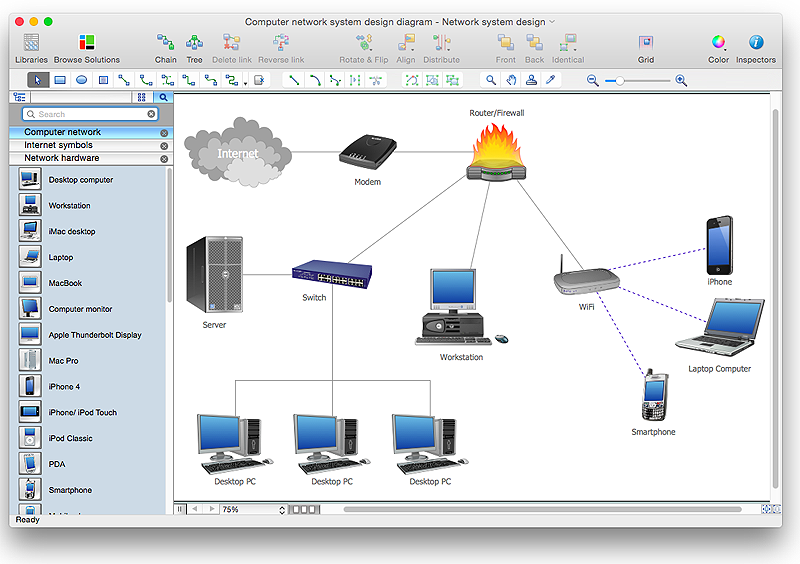 | |
| Further, a process called NetBooting has streamlined the capability to move the working operating system of a standard consumer desktop computer - kernel, user interface and all - off of the machine it controls. This was previously only possible for experienced power-users on multi-user platforms like UNIX and with a suite of specialized applications. NetBooting allows the operating system for one computer to be served over a network connection, by a remote computer connected anywhere in the network. One NetBoot server can serve operating systems to several dozen client computers simultaneously, and to the user sitting in front of each client computer the experience is just like they are using their familiar desktop operating system like Windows or MacOS. | |
| Open Source | |
| One question concerning the future of operating systems revolves around the ability of a particular philosophy of software distribution to create an operating system useable by corporations and consumers together. | |
| Linux, the operating system created and distributed according to the principles of open source, has had a significant impact on the operating system in general. Most operating systems, drivers and utility programs are written by commercial organizations that distribute executable versions of their software -- versions that can't be studied or altered. Open source requires the distribution of original source materials that can be studied, altered and built upon, with the results once again freely distributed. In the desktop computer realm, this has led to the development and distribution of countless useful and cost-free applications like the image manipulation program GIMP and the popular web server Apache. In the consumer device realm, the use of Linux has paved the way for individual users to have greater control over how their devices behave. | |
|
Amazon currently hiring Marathi Voice Support Executive Job in Thane Maharashtra for 12th pass freshers who had fluency in Marathi or Hindi or English language can apply online with ease. Post: Voice Support Executive – Freshers Department: Customer Support Work location: Thane Maharashtra (candidate may get nearby branch of Mumbai ) Education: 12th pass and above Language Preference : Marathi / HI_IN / EN_IN Salary: 12,000 to 17,000/- per months Candidate who cleared 12th exam and looking for tele-calling job in Thane or back office jobs in Thane area for freshers, can apply jobs at amazon over here. Basic need to enrol for Amazon jobs in Thane: • Firstly, good in talk which is communication skills should be excellent in any of Marathi, or English. • Must be able to handle telephonic software support, should have computer knowledge. • Candidate should be able to handle the voice calls from local customers of Maharashtra state in Marathi or English Language. • Problem-solving ...
Comments
Post a Comment